

WhatsApp Business and Salesforce integration: omnichannel Customer Care architecture
| June 22, 2020
Deploying a WhatsApp Business and Salesforce integration via BeCloud Solutions aligns instant messaging channels with enterprise Customer Care and CRM workflows.
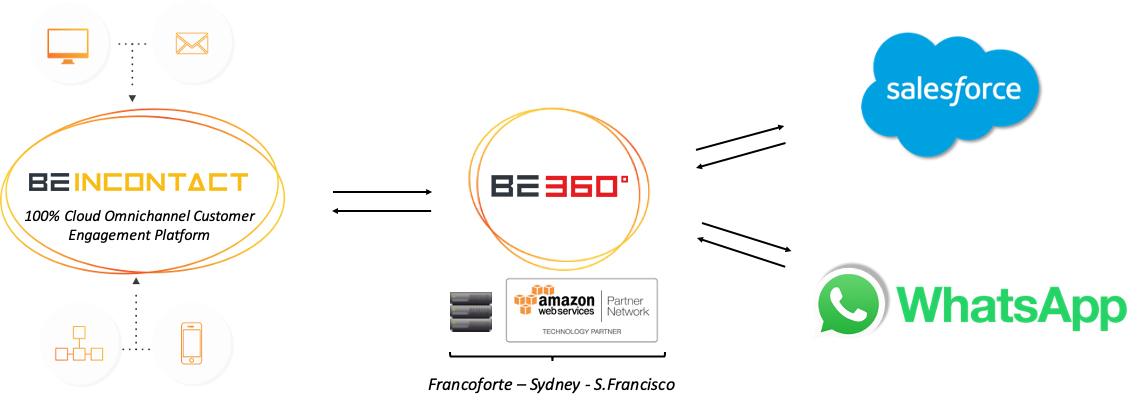
Leveraging the Be360° next-generation iPaaS platform, this architecture connects the WhatsApp for Business API directly to standard and custom Salesforce objects, enabling agents to manage interactions natively from the CRM console.
Architectural features of WhatsApp Business Salesforce integration
The convergence between the WhatsApp Business API and the Salesforce environment operates across both the data layer and the agent interface, eliminating channel fragmentation:
- Native CRM integration via iPaaS (Be360°): the Be360° Cloud integration platform links the enterprise WhatsApp Business profile with Salesforce records, automating the tracking of messages, contacts, and support tickets;
- Unified CTI Phone Bar and Agent Desktop: through BeInContact integration, agents handle WhatsApp conversations within the same CTI interface used for voice and other digital channels (email, web chat, SMS);
- Certified Salesforce AppExchange connector: available as a certified solution on Salesforce AppExchange, deployment relies on a native connector that requires no custom code or dedicated development resources (No-Code Integration);
- Workflow design and architectural guidance: implementation methodology incorporates specialist advisory services to map functional workflows, align business logic, and assess infrastructure readiness prior to deployment
Inbound and Outbound operational workflows
The integrated architecture supports both inbound Customer Support workflows and outbound notification strategies:
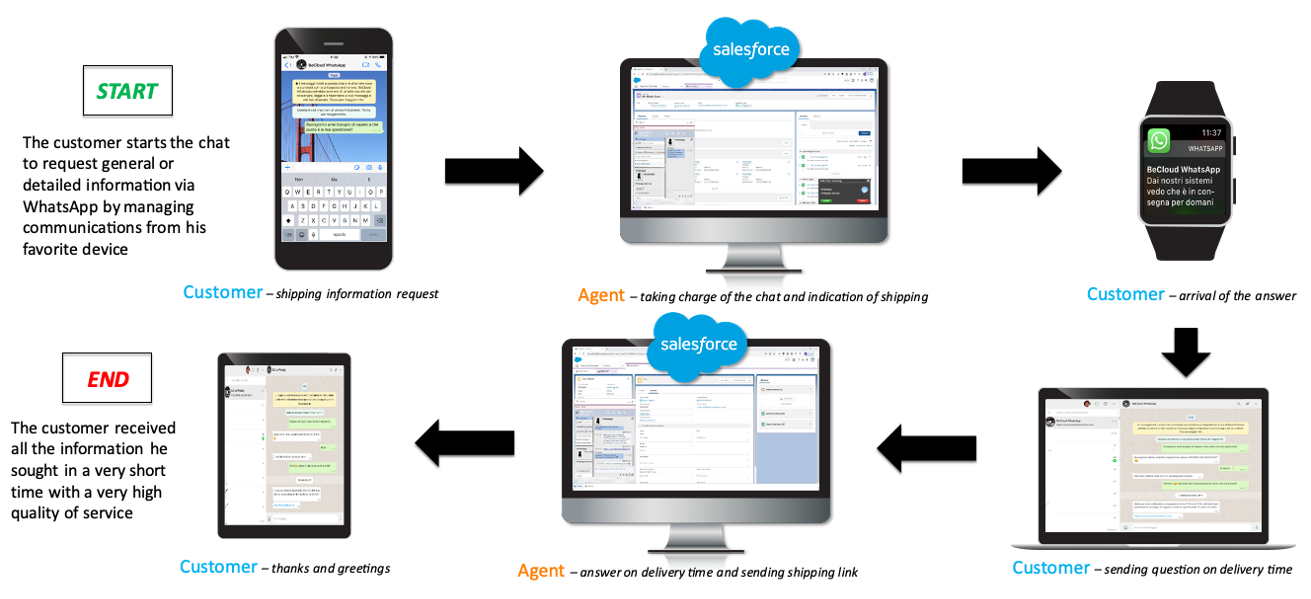
- Inbound query resolution and ticket management: inbound WhatsApp messages are directed by the BeInContact routing engine to the most appropriate agent or queue, automatically triggering customer screen pop-ups and updatinginteraction logs in Salesforce;
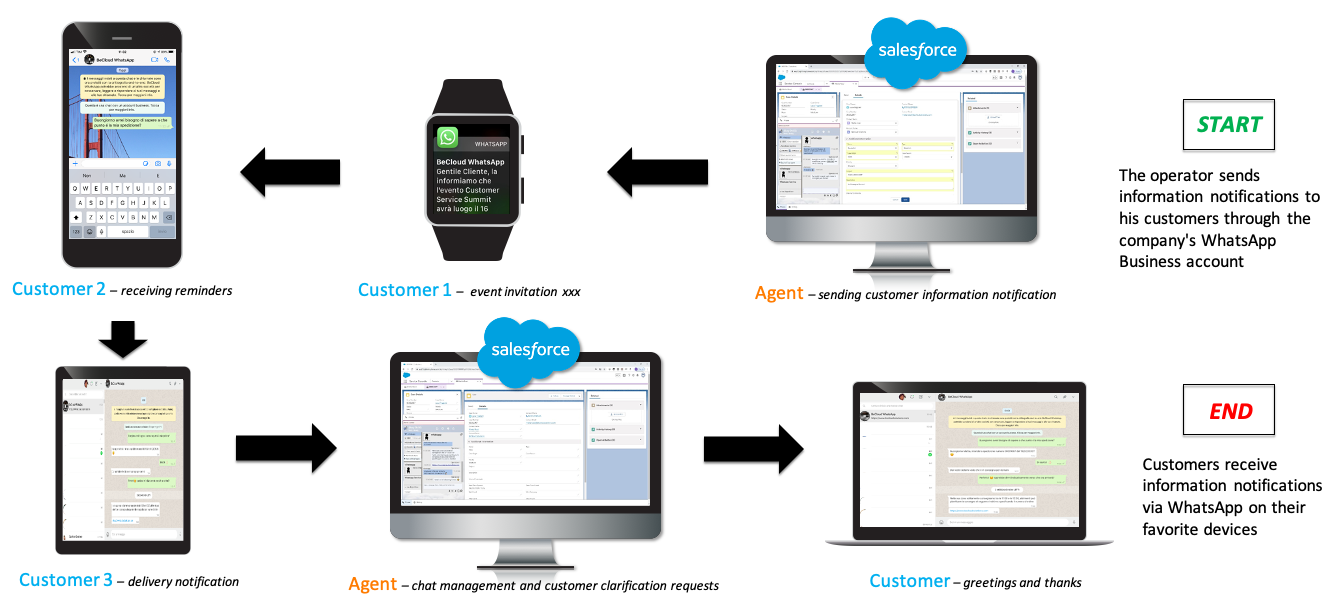
- Outbound notifications and automated campaigns: IT and Operations teams can profile target recipient lists in Salesforce and export them to BeInContact to trigger automated notifications, appointment reminders, and service updates via WhatsApp;
- Centralised business number management: organisations can link existing corporate landlines, mobile numbers, or toll-free numbers directly to their WhatsApp Business account, maintaining brand consistency across touchpoints.
Inbound: Customer Service– Problem Solving– Ticket Management
Outbound: Notifications – Reminders – Appointments – Informations
Reporting and data synchronisation requirements for WhatsApp Business Salesforce integration
To ensure full operational visibility and KPI tracking, the integration enables bi-directional data synchronization between the contact routing engine and the CRM database:
- Parametric interaction logging: upon interaction closure, BeInContact automatically pushes session parameters (conversation duration, channel type, assigned agent, disposition codes, queue times, and IVR selections) directly into Salesforce CRM objects;
- Unified Supervisor Dashboards: supervisors and Team Leaders can configure customized Salesforce dashboards to display live cross-channel metrics, combining qualitative interaction data with account histories to make Customer Care a strategic business driver.
Click here to download for free the Datasheet.

